FlexiHub Team uses cookies to personalize your experience on our website. By continuing to use this site, you agree to our cookie policy. Click here to learn more.

 Olga Weis
Last updated Jan 5, 2026
Olga Weis
Last updated Jan 5, 2026
The Microsoft Remote Desktop Protocol (RDP) is an effective way to access shared printers or storage devices. However, connecting to a scanner in a remote session is difficult due to the lack of support for drivers and imaging protocols like TWAIN .
You have two options to get around this limitation and connect to a scanner in a remote session. The first method uses native RDP functionality by making platform configuration changes. The second, and more efficient, option is to use a third-party solution such as FlexiHub or USB Network Gate.
The native method of redirecting a scanner in RDP is highly technical and uses a feature called Opaque Low-Level Redirection.
This method securely transfers raw USB Request Blocks (URBs) directly from the scanner to the remote session over the RDP connection, without interpreting or optimizing the data. The remote session must have the software required to understand the raw data stream. This requires installing the scanner driver on the remote session host, not the local client machine.
You must use admin permissions to configure the RDP property usbdevicestoredirect to control which USB devices can be accessed through the remote session. You can make the changes in the Group Policy or in the RDP file. The typical configuration values used are:
A crucial limitation of native RDP scanner redirection is its lack of TWAIN support. The lack of support for this industry-standard interface causes many applications to fail to recognize the scanner or to incorrectly process transferred images.
Remote Desktop scanning is hard to implement in terminal server or cloud environments. When you do not have native support for remote desktop scanner redirection, FlexiHub offers an excellent solution. The software lets users access USB scanners in an RDP session with the same functionality as with a direct physical connection to the peripheral device.
FlexiHub is a dedicated application that provides RDP scanner redirection so your equipment can be used in remote desktop sessions. FlexiHub works perfectly in different environments like Microsoft Azure, Microsoft Terminal Services, Citrix Virtual Apps and Desktops, VMware Horizon View, and Amazon Workspaces, among others. FlexiHub simplifies the process, allowing you to focus on your work without worrying about technicalities.
Note: Thanks to its network connectivity capabilities, FlexiHub is ideal for redirecting peripheral devices to remote offices or mobile employees.

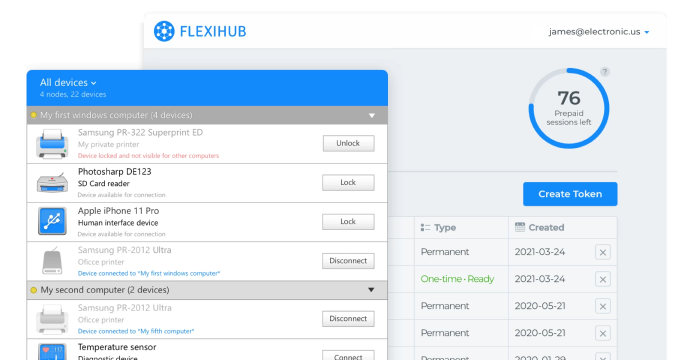
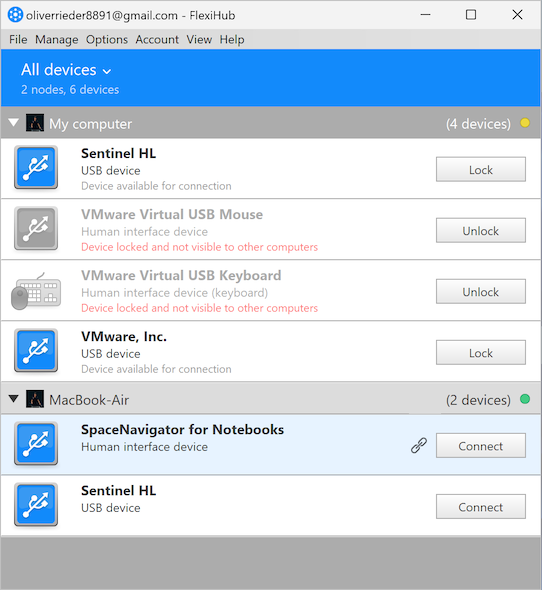
FlexiHub works by establishing a connection between USB devices attached to a physical computer's ports and your remote desktop session. It creates a virtual USB port through which you can access a scanner or other types of network-attached USB equipment.
When you insert a device into a USB port, it becomes available to remote users across your network. The virtualized RDP scanner is treated as a physical device by your operating system.

USB Network Gate is a free versatile software utility that uses virtualization to redirect a local USB scanner to an RDP session. It is an essential tool in terminal server and cloud-based environments that lack native support for RDP scanner redirection. USB Network Gate enables users to scan in an RDP session with the same level of control as with a direct connection to the scanner.
Note: The software is optimized for use on local area networks (LANs), making it an excellent choice for office settings.
USB Network Gate provides a reliable alternative when remote desktop scanner redirection is not supported. The software works by making a USB scanner connected to a local computer (the server) available to remote desktop sessions (clients). USB Network Gate creates a virtual USB port on the client machine that enables the remote computer to access any USB device, like your scanner, as if it were directly connected.
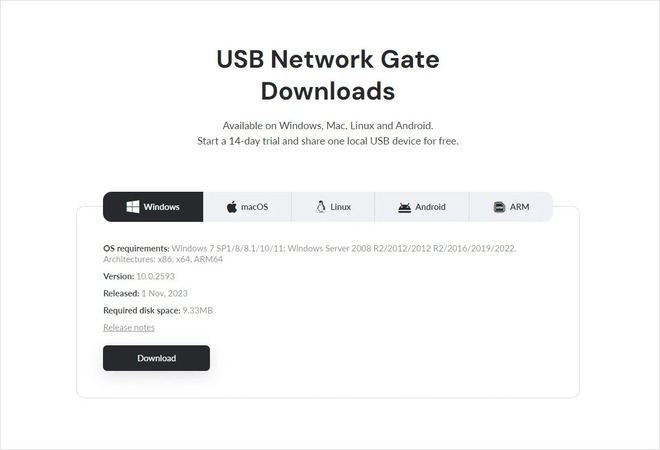
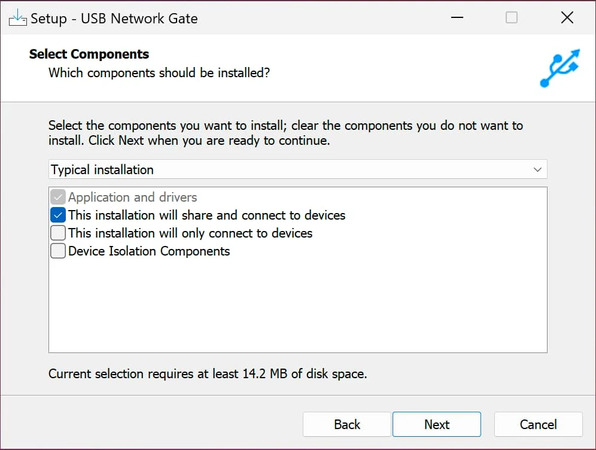
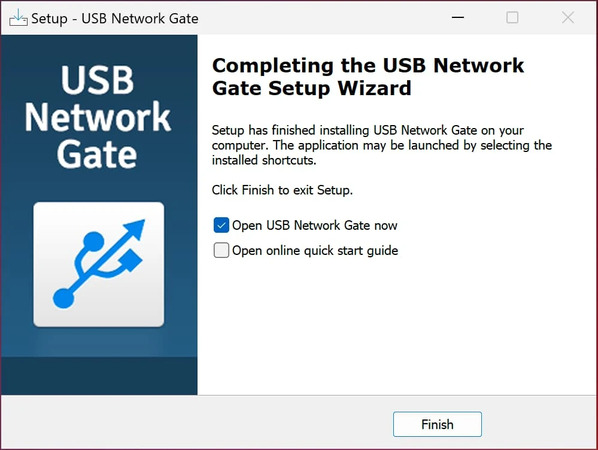
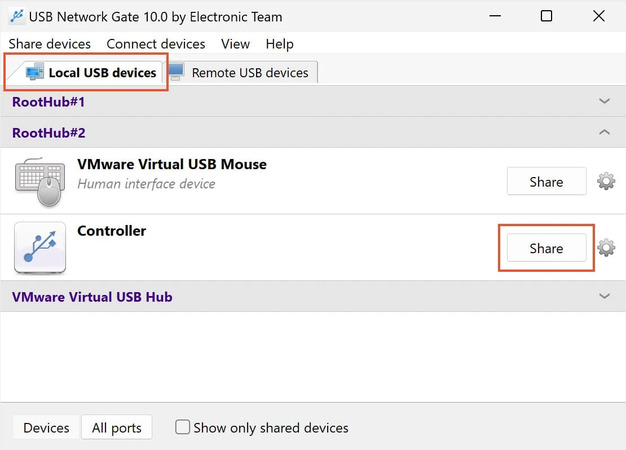
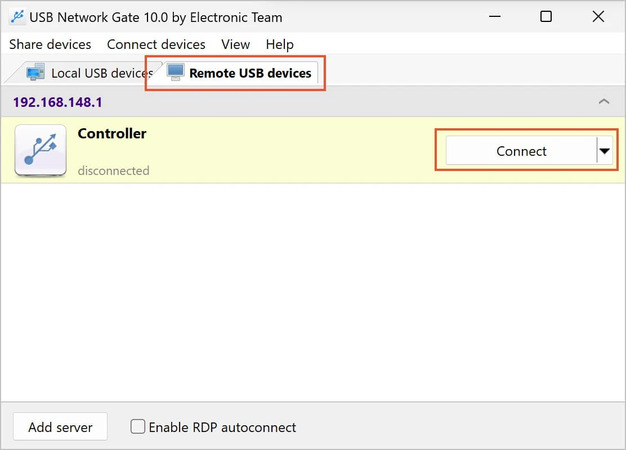
After the connection is established, the scanner is recognized by the client computer’s Device Manager and can be used in the RDP session.
Your budget, technical proficiency, and need for TWAIN compatibility will be the deciding factors when choosing the best RDP scanner solution. Native RDP redirection using Windows functionality is the most cost-effective solution, but it may present two potential issues. This method relies on complex administrative tasks and does not support TWAIN, limiting its professional use.
When you must have TWAIN compatibility, third-party software is your only option. FlexiHub and USB Network Gate create virtual USB ports to bypass RDP limitations. This virtualization provides full scanner functionality while simplifying driver management, with drivers only needed on the host computer. FlexiHub encrypts your data using the 2048-bit SSL protocol for additional security.
The native method is free, but its limitations often make a commercial solution your best choice. If you need reliable RDP scanner redirection and TWAIN support, check out FlexiHub and USB Network Gate.