
FlexiHub Team uses cookies to personalize your experience on our website. By continuing to use this site, you agree to our cookie policy. Click here to learn more.
 Olga Weis
Last updated Jun 4, 2026
Olga Weis
Last updated Jun 4, 2026
Hardware security dongles remain common across CAD, audio production, engineering analysis, and database software. When the license is valid, the software is installed, and the dongle is somewhere it cannot be reached, work stops. Network-based USB sharing solves that directly: the physical key stays in one location, and authorized machines access it remotely.
This article covers the most reliable tools for the job, including Donglify, FlexiHub, and USB Network Gate, alongside the scenarios where each fits best.
Before using any dongle-sharing tool, confirm that your software license permits remote or shared access to the hardware key. Technical compatibility does not automatically mean license compliance.
A workstation running CAD software, audio plugins, analysis tools, and security tokens at the same time can exhaust available USB ports quickly. USB hubs are the common workaround, but several protection systems are sensitive to hub latency or inconsistent power delivery. A dongle that functions correctly in a direct motherboard port can fail on a powered hub connected to the same machine.
Organizations that share one physical dongle across a team introduce a single point of failure. The key ends up on someone's desk, in transit, or worn out from daily handling. When it fails or goes missing, there is no recovery option through a vendor portal. Replacement requires the vendor, takes time, and stops work for everyone who depends on that license.
This is where most technical failures occur. RDP sessions, VMware, Hyper-V, and Citrix all complicate access to a USB device attached to another machine. Dongle-protected software running inside a VM looks for its key and finds nothing. Sentinel and HASP protection systems return specific errors in these scenarios: H0027 in terminal-services contexts and H0051 when a virtual environment is detected. For teams trying to run dongle-protected software remotely, these errors are among the most common blockers.
For remote workers, staff split across offices, or engineers working on-site at client locations, the dongle and the person who needs it are routinely in different places. The fix, in most organizations, is some version of shipping it or going to retrieve it. Neither is fast, and neither scales.
Donglify redirects the USB dongle over a network connection instead of relying on native VM or RDP USB passthrough. The host keeps the physical key attached, while the remote computer sees it as a virtual local USB device that the protected application can detect.
For organizations that need to run software without dongle shipping or desk-to-desk transfers, this approach removes the physical dependency while keeping the dongle in a fixed, controlled location. Compatibility depends on the specific dongle, application, and network environment. Testing with the target configuration before committing is the right approach. At the time of writing, Donglify offers a 7-day free trial, with paid plans starting from the Basic plan.
For dongles and license models that allow concurrent use, Donglify can let multiple remote computers connect to the same shared key. If the protected application enforces single-user licensing, simultaneous access may still be limited by the software vendor.
Donglify is designed specifically for the environments where native USB passthrough fails. The vendor provides setup documentation for VMware, Hyper-V, VirtualBox, and standard remote desktop workflows.
Donglify states that dongle traffic is protected with 2048-bit SSL encryption. For security-sensitive environments, teams should still review vendor documentation, account access controls, and whether remote dongle sharing is permitted by their internal policies.
Access is shared through generated tokens rather than account credentials. Revoking access to a specific user requires no hardware changes and no password resets.
Donglify supports Windows 7/8/10/11, Windows Server 2008 R2/2012/2016/2019/2022/2025, Windows 10/11 on ARM, and macOS 10.15 or later. Check the current system requirements before deployment.
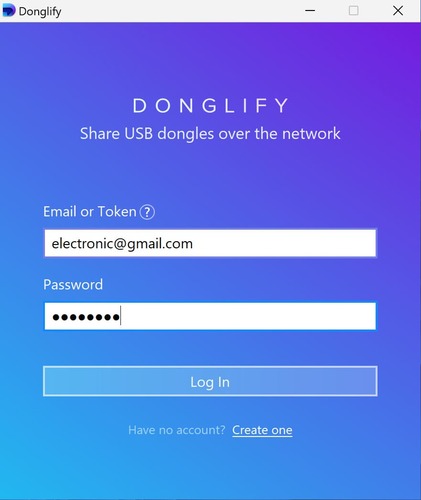
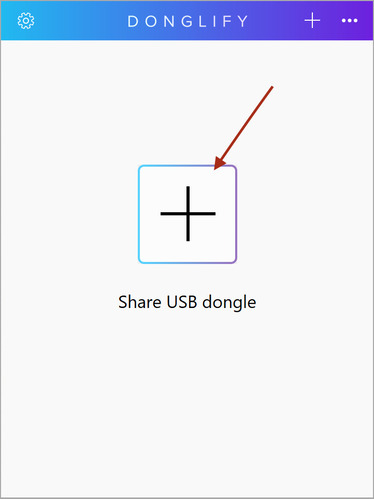
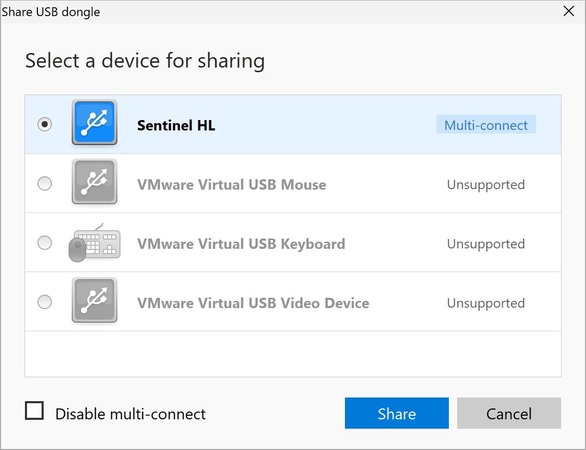
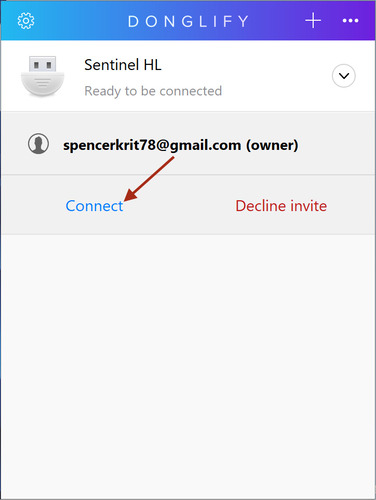
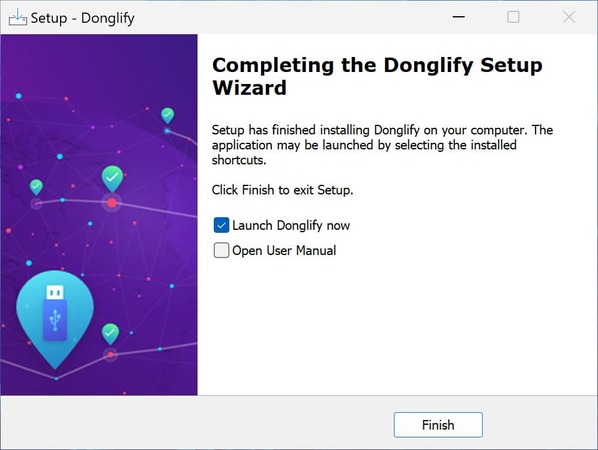
For teams, generate access tokens through the Donglify web interface and distribute them to authorized users. No credential sharing is required.
IT teams managing licensed software across distributed environments are the primary users. Common deployments include multi-site organizations, engineering or creative teams running dongle-protected applications inside virtual machines or over RDP, and businesses that want to reduce hardware handling by keeping the dongle in a fixed, controlled location.


Configuration-dependent and frequently unreliable with dongles that require specialized drivers. Works in a narrow set of scenarios and is not a clean fit for standard RDP workflows.
Physical appliances with network-accessible USB ports. Appropriate for fixed enterprise environments with dedicated IT support. Hardware costs, maintenance overhead, and rack space requirements make them impractical for smaller teams.
FlexiHub is a general-purpose USB-over-network solution that handles dongles alongside other USB device types. It runs on Windows, macOS, GNU/Linux, Android, and Raspberry Pi, with compatibility documentation for VMware, Hyper-V, Citrix, and RDP environments.
FlexiHub offers personal and team plans, with a 30-day demo available in eligible regions. It is a strong choice when the requirement is broader USB sharing across many device types, or when Linux and Android support is needed. For teams whose only goal is to run software without dongle handoffs across locations, Donglify's narrower focus keeps the interface and configuration simpler.
USB Network Gate is a general USB-over-network tool covering LAN, internet, RDP, and VM environments. It is not dongle-specific, which makes it more flexible for organizations with broader USB passthrough requirements beyond license key sharing.
| Feature / Use Case | USB Network Gate | FlexiHub | Donglify | Windows USB Redirection | Hardware Dongle Servers | Supported devices | USB devices | USB and COM port devices | USB dongles only | Selected USB devices | USB dongles or USB devices, depending on model | Sharing USB over LAN | Yes | Yes | Yes | Yes | Yes | Sharing USB over LAN without Internet access | Yes | No | No | Yes | Yes | Sharing USB over the Internet with public IP address | Yes | Not required | Not required | Limited / not ideal | Usually via VPN or network setup | Sharing USB dongles over the Internet with public IP address | Yes | Not required | Not required | Limited / not ideal | Usually via VPN or network setup | Simultaneous connections to the shared USB dongle | Depends on dongle and license | Depends on dongle and license | Yes, if dongle and license allow it | Usually no | Depends on dongle, license, and appliance | Sharing COM port devices over the Internet on Windows | No | Yes | No | No | No | Access in RDP session | Yes | Yes | Yes | Native, but limited | Depends on setup | Per-session isolation in RDP | Yes | No | No | Limited | Depends on setup | Per-user isolation in Windows | Yes | No | No | Limited | Depends on setup | License model | Free and paid licenses | Subscription | Subscription | Included with Windows/RDP | Hardware purchase + possible software/license costs | Online account creation required | No | Yes | Yes | No | Usually no | Free version availability | Yes, 1 shared device for non-commercial use | 30-day demo | 7-day trial | Included with supported Windows editions | No |
For most distributed teams, Donglify is the most direct solution. FlexiHub and USB Network Gate cover broader USB sharing needs when dongles are not the only requirement. Whichever tool fits the environment, verify license terms with the software vendor before deployment and test against the target configuration before rolling out to the full team.