FlexiHub Team uses cookies to personalize your experience on our website. By continuing to use this site, you agree to our cookie policy. Click here to learn more.
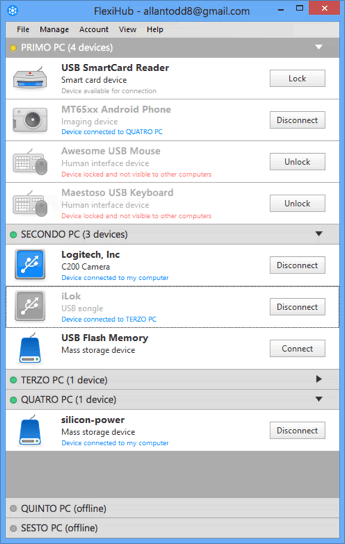
The moment you share a USB hub over IP, the software sees it and detects its type. Thus you can see which one of connected devices is a USB hub, instead of checking all devices at random. Serial devices have a special indicator so you can differentiate between them and
USB peripherals.
If you connect a USB hub to the host OS, chances are that you won’t see it from a guest OS. Virtual environment typically does not allow you to see the host’s ports, unless you have FlexiHub that enables access to remote USB hub. The software is compatible with all commonly used virtualization software, including VMware, Citrix XenDesktop, Microsoft Hyper-V and Virtual PC.
When you share USB over IP hub, computers that exchange data do not require real IP addresses – thanks to FlexiHub’s own redirection server. Although you will not ‘see’ the host computer, this won’t prevent you from accessing and using devices connected to it.
FlexiHub can reduce the size of data exchanged by compressing it, this, in turn, will reduce consumption of traffic and increase the speed of interacting with a shared USB hub. It is possible to specify the ratio of data compression according to your requirements.
Tour data is safe with FlexiHub, even if you have to deal with USB hub wireless. This is ensured by 2048-bit SSL encryption that provides additional protection to your data – it won’t be lost or accessed by
unaurthorized parties.
At times you might want to keep your devices private, to protect them from remote access by other network users, lock them. Once locked, devices won’t be displayed to others and their content and functionality won’t be accessible to anyone, but you.
The software does not require any drivers to function, no need to install them neither on a guest, nor host operating systems.